Vector Search
The vector module introduces an AI-powered search surface that spans customers, notes, activities, deals, and todos. Results are refreshed automatically whenever indexed records change, and they resolve to the canonical admin pages so you can take action immediately.
Prerequisites
- Set
OPENAI_API_KEYin your.env. Without it the module stays visible but all search UIs display a reminder that embeddings are disabled. - Run
npm run modules:prepare(or the individual generator scripts) after enabling the module so the dependency injection graph registers the new services and subscribers. - Optional: reindex historic data once per tenant by running
yarn mercato vector reindex --tenant <tenantId>from the CLI. This is only needed the first time after enabling the module; ongoing CRUD operations stream into the vector index automatically. - Set
DISABLE_VECTOR_SEARCH_AUTOINDEXING=1when you need to turn off streaming updates across the whole workspace (the toggle described below becomes read-only in that mode).
Global search palette
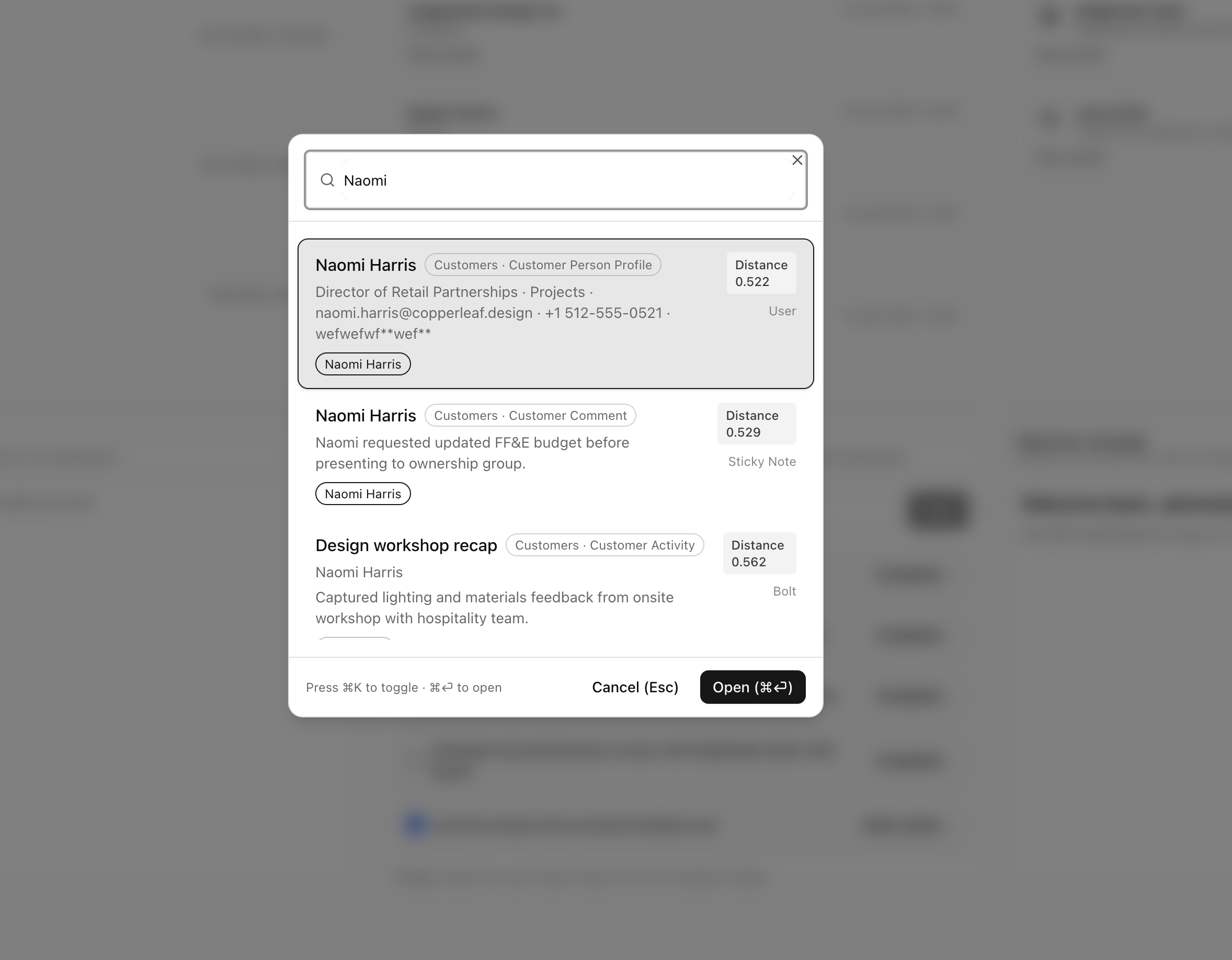
- Click the new search icon in the admin header, or press
⌘K/Ctrl+Kanywhere inside the backend to open the palette. - Start typing at least two characters. The dialog shows results as you type and highlights the best match by default.
- Use the arrow keys to move through results. Press
Enter(or⌘⏎/Ctrl+⏎) to open the selected item. - Secondary links—such as deal or todo shortcuts—appear as chips. They are also listed in the row actions menu for quick access.
- Press
Escto close the dialog without leaving the current page.
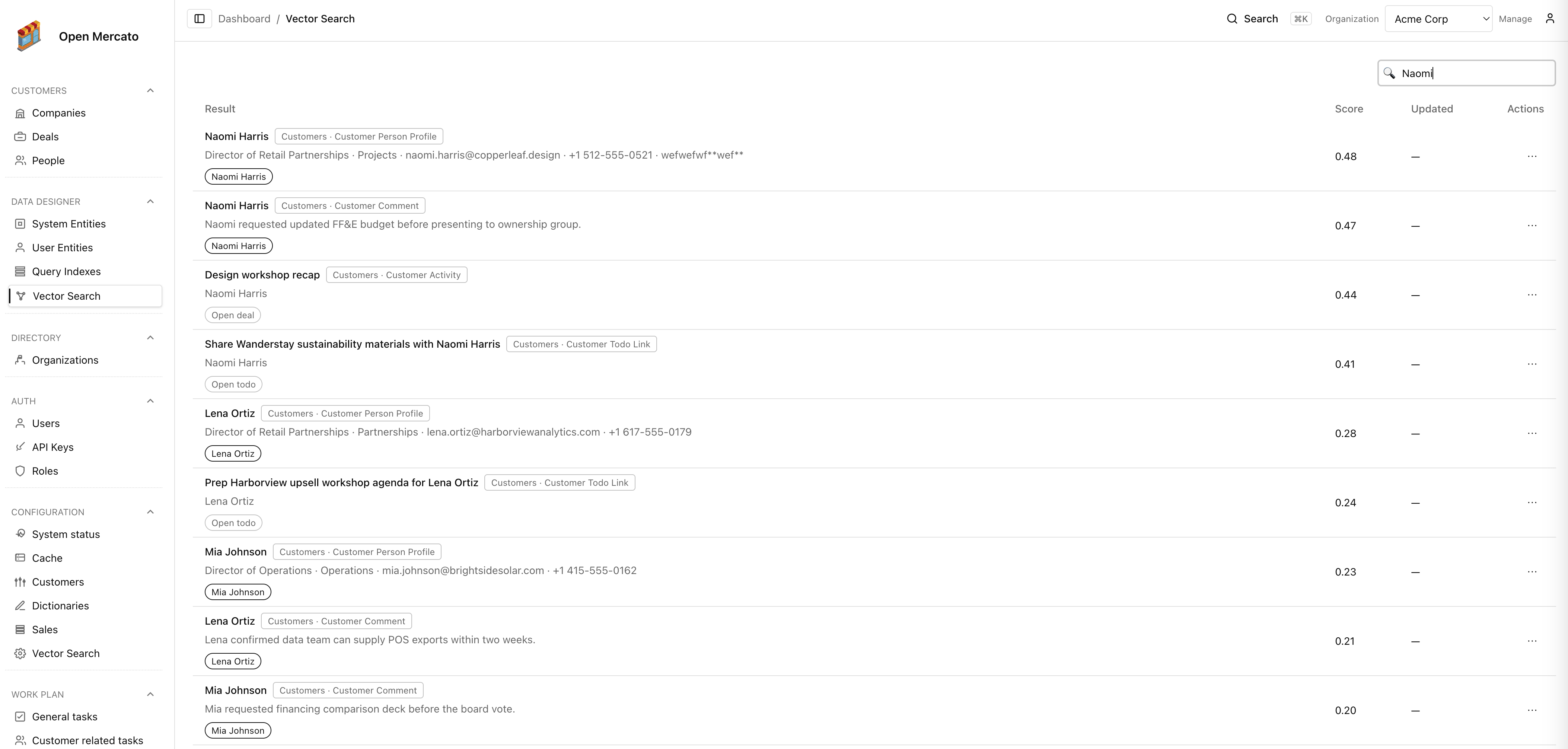
Data Designer page
- Navigate to Backend → Data designer → Vector Search to browse the index in table form.
- The Data Designer table supports free-text search, row actions, and deep links identical to the command palette.
- When
OPENAI_API_KEYis missing the page surfaces a banner explaining the requirement and keeps the table disabled.
Settings & auto-indexing
- Head to Backend → Configuration → Vector Search to review the OpenAI status and control auto-indexing.
- The checkbox
Index database changes automaticallyis powered by the shared configs module (vector.auto_index_enabled). Turning it off pauses the background subscribers that feed new/updated rows into the vector index. - Updates go through
/api/vector/settingsso you can apply the same change from automations or custom tooling. The endpoint requires thevector.managefeature. - When
DISABLE_VECTOR_SEARCH_AUTOINDEXINGis set, the toggle is locked in the off position and the API returns a409response if you try to re-enable it.
Reindexing options
- From the CLI:
yarn mercato vector reindex --tenant <tenantId> [--entity <module:entity>]. - From the REST API:
POST /api/vector/reindex(see API reference).
Every mode accepts optional --org / organizationId scopes and a --purgeFirst=false flag when you want to update embeddings in place without clearing the table first.
What gets indexed?
The first release ships with the following entity coverage:
- Customers (both people and companies) with custom fields, statuses, and primary contact details.
- Customer notes and activities, enriched with the parent account and linked deal metadata.
- Customer deals.
- Todos from the example module, alongside customer todo links (mapped back to the owning customer).
Custom modules can opt-in by exporting a vector.ts file alongside their other module metadata. See the framework reference for implementation details.
Future AI experiences
The vector index is the foundation for forthcoming AI assistants inside Open Mercato. Upcoming releases will reuse the same embeddings to power conversational chat helpers, automate MCP server prompts, and recommend context-rich follow-ups across modules. Enabling vector search today ensures those AI workflows can plug into your tenant data as soon as they ship.